Strike Playbook
Everything you need to get ready, apply and get on assignment.
Creating/Updating Profile
About USN
Accessing the Portal
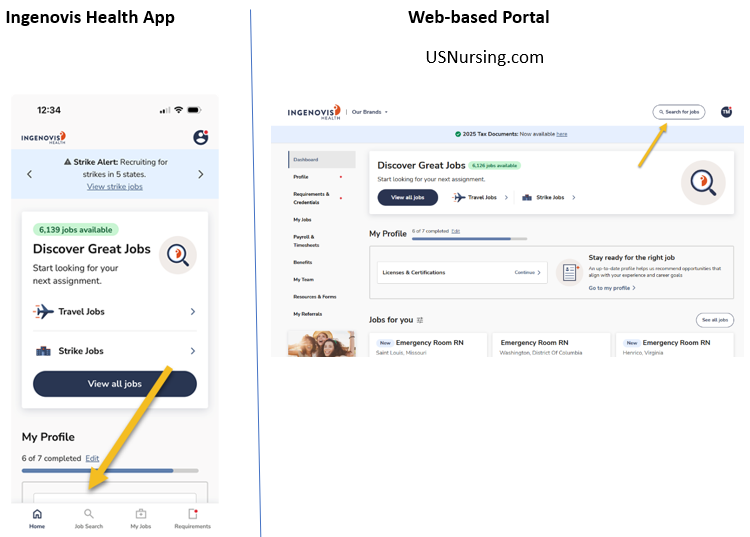
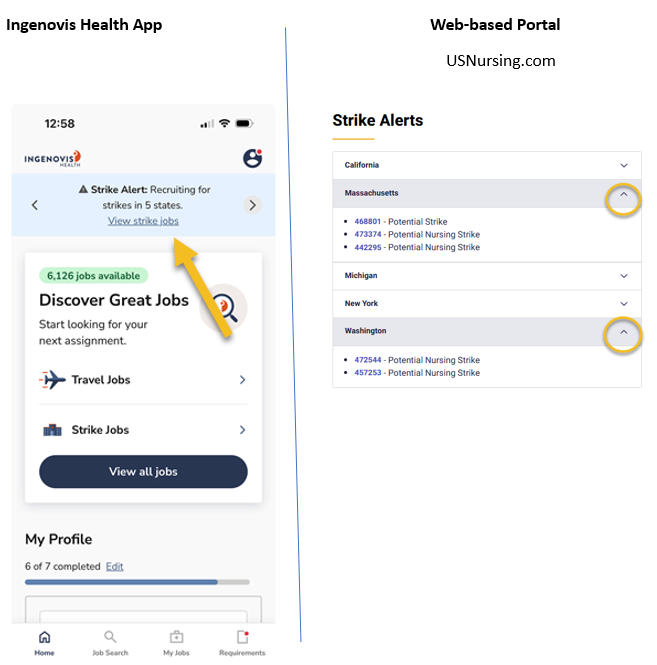
You can access your portal by visiting www.USNursing.com or through the Ingenovis Health App.
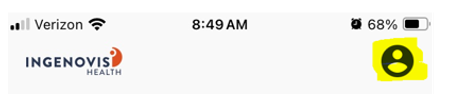
To access your profile menu on the Ingenovis Health App portal, click on the person icon in the top right corner:
Profile Accuracy
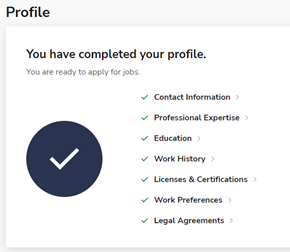
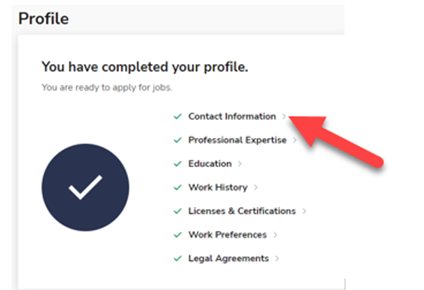
Please complete the online application including contact info, professional expertise, education, work history, and work preferences. All items in the Profile tab should display green check marks.
NOTE: Your profile will also need to be reviewed periodically to make sure the information is still accurate/current.
Work History
Ensure that you are listing all healthcare experience. Those candidates who have more experience working within a specialty will have a greater chance of receiving an offer.
At least one year of recent experience within the last two years is required for any specialty. You also must have worked in a facility within the last six months.
You can include up to four float specialties for each job.
You are welcome to upload a resume to your profile, but you will also need to check your work history for accuracy. Note: You will need to manually enter specialties, our system does not pull those in from your resume.
Licenses and Certifications
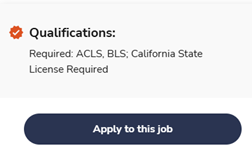
You must hold all required licenses and certifications listed in Qualifications to be eligible for a position. See POSITION SELECTION section for more details.
Skill Checklists and Questionnaires
Complete the Questionnaires and Skill Checklists assigned to you. This is how you will share your skills and experience with us.
You will need to complete:
One questionnaire for each strike (state specific)
One questionnaire for each specialty
One skill checklist for each specialty
Applying for Positions
Position Selection
You can only be submitted for ONE position per strike. You are also limited to the total number of positions you can apply for within a week. Use the following tips to determine which positions you should focus on.
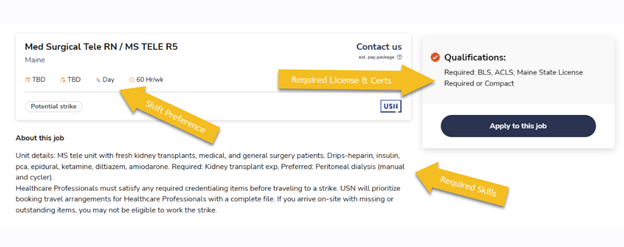
Shift Preference - Although shift preferences are never guaranteed, please choose the position that has your preferred shift. If you list on your Questionnaire that you're “flexible” with shifts, the USN team may move you from days to nights (or vice versa) based on need.
Highest Acuity Position – Within each specialty, there are often multiple positions available. It’s important that you thoroughly review the available positions and apply for the highest acuity position you qualify for. Candidates can typically be floated to lower-acuity units if needed. Although you may desire to work in a lower acuity position during a strike, your skillset will be best utilized in the highest acuity that you have experience within.
Each position will list the REQUIRED SKILLS (Listed in the “ABOUT THIS JOB” section) and Qualifications (Required certifications and licenses, if applicable).
Finding/Applying for Positions
It’s best to apply for strikes before we receive the official 10-day strike notice. This allows our team time to review your profile.
You can either use the Job Search Tool or see a complete list of job actions sorted by state in Strike Alerts.
Job Search Tool
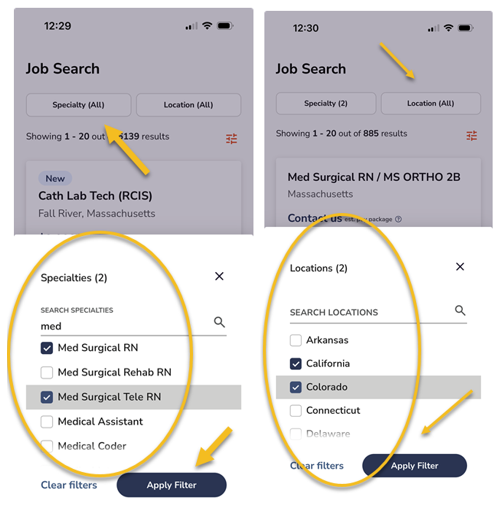
You can limit your search to show only jobs for your specialty and to include only the locations you want to work. Multiple options may be selected.
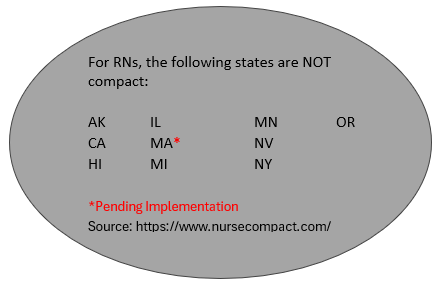
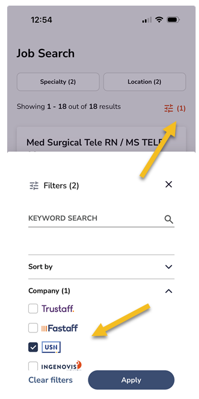
Use additional filters to further narrow your results. Examples include filtering for only DAY or NIGHT postions, or including only jobs in compact states. You can also limit your search to show only strike assignments by selecting USN as the Company.
Strike Alerts
Once you have found the position you want to apply for just click “Apply to this job” button.
NOTE: Remember, you can only be submitted for one position per strike. While you may be skilled in multiple specialties you will need to choose which position best matches your skillset, experience and licensing/ certifications.
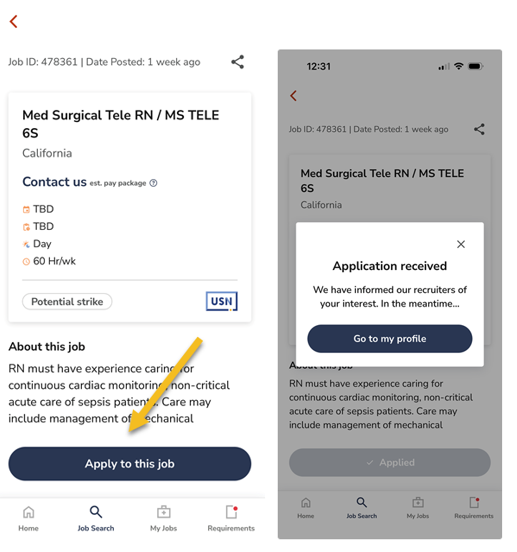
After you apply for a position, you may be assigned new questionnaires and/ or skill checklists. These items will need to be completed before you can be submitted for the position.
Reviewing Your Application Status
You can see a list of all the positions you have applied to, and the status in “My Jobs”.
If the status says, Application Received, this means that you are either missing something or we have questions about your application. You can reach out by text or phone if you have any questions.
If the status says, Submitted to Position, this means that you are fully submitted to the position and no further action is needed.
Personally Identifiable Information (PII)
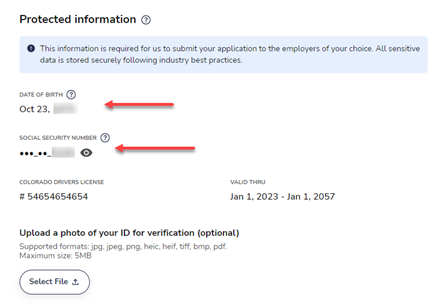
To verify your eligibility to work within a facility you must provide both your SSN (Social Security Number) and DOB (Date of Birth). Never send Personally Identifiable Information (PII) through email or text. Instead, we ask that you upload this information directly into our secure portal. One of our recruiters can also assist over the phone.
To update SSN, navigate to person icon in top right corner, then profile, then contact info. SSN is at the bottom of this section.
DOB is updated with this link. https://www.ingenovishealth.com/account/collect-info/intro
Pay Package
In addition to your hourly pay you will also receive the following benefits:
Flight booked through USN or mileage reimbursement for drivers
Single occupancy housing for the duration of the assignment
Daily courtesy transportation TO/ FROM Orientation/ Facility/ Hotel
Daily per diem for meals, amount varies by assignment
Professional File/Credentialing
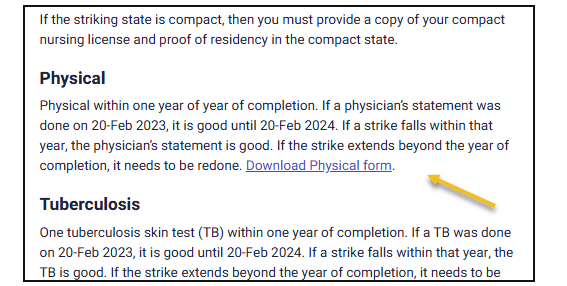
To be considered “travel ready” you will need to provide all the following documents: https://www.usnursing.com/healthcare-professionals/required-documents. Please send any completed documents to strikeupdates@usnursing.com.
Please hand carry your file when you travel onsite.
We will set up a drug screen request for you to complete before you travel, if required.
Whenever possible please complete all requirements before you travel but if you have issues, please let us know.
Offers and Travel
Offers
We do not send out official offers until after we have received the 10-day notice
If you are given an offer, we will reach out to you by text and/or email letting you know that you have been given an offer.
It often takes several days for all offers to be sent.
Please refrain from contacting USN to check on offer status. You will be notified if you are selected.
Accepting an Offer
You will be sent a text letting you know that you have been chosen for an offer. To ensure the safety of all healthcare providers we cannot release the name of the facility or precise location until after you have accepted your offer. If you are available during the strike and would like to accept the offer, select ACCEPT in the pop-up window. NOTE: You must have pop- up blocker turned off for the window to open.
If you are having problems with the link please respond ACCEPT in the text message.
Travel Survey
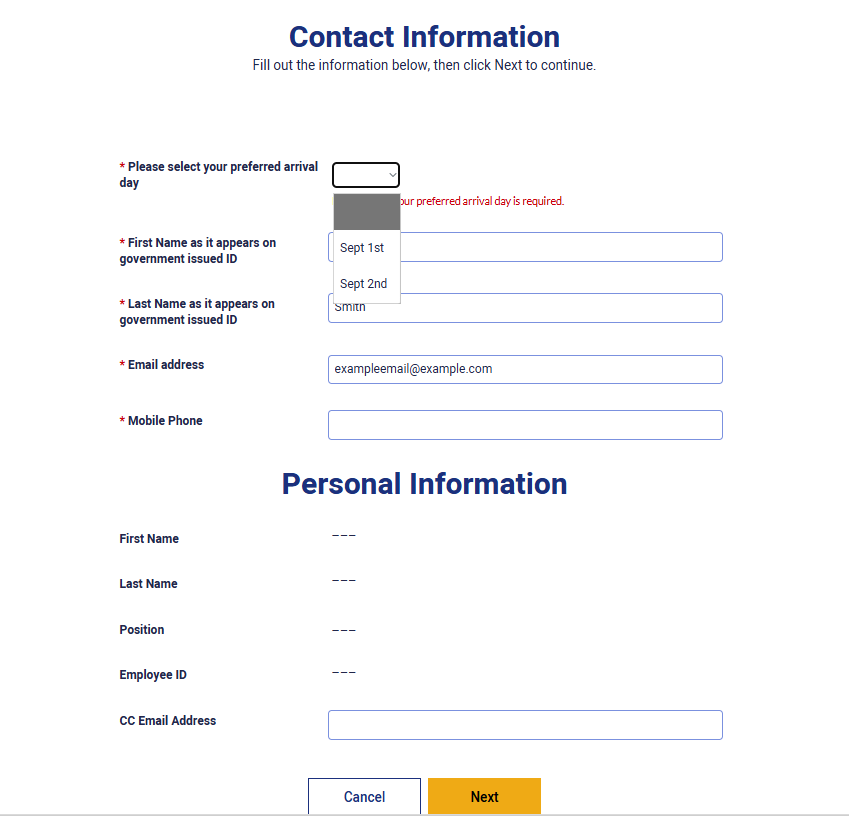
After you accept the offer then you will receive the Travel Survey, which will include more details about the strike and allow you to choose your travel date. Follow the prompts until you reach the Contact Information page, where you will select your travel date and provide your personal details. Please make this choice carefully because you will not be able to change your arrival date later in the process.
IMPORTANT – Travel days fill quickly so make sure you complete this step promptly for best selection.
Travel Information
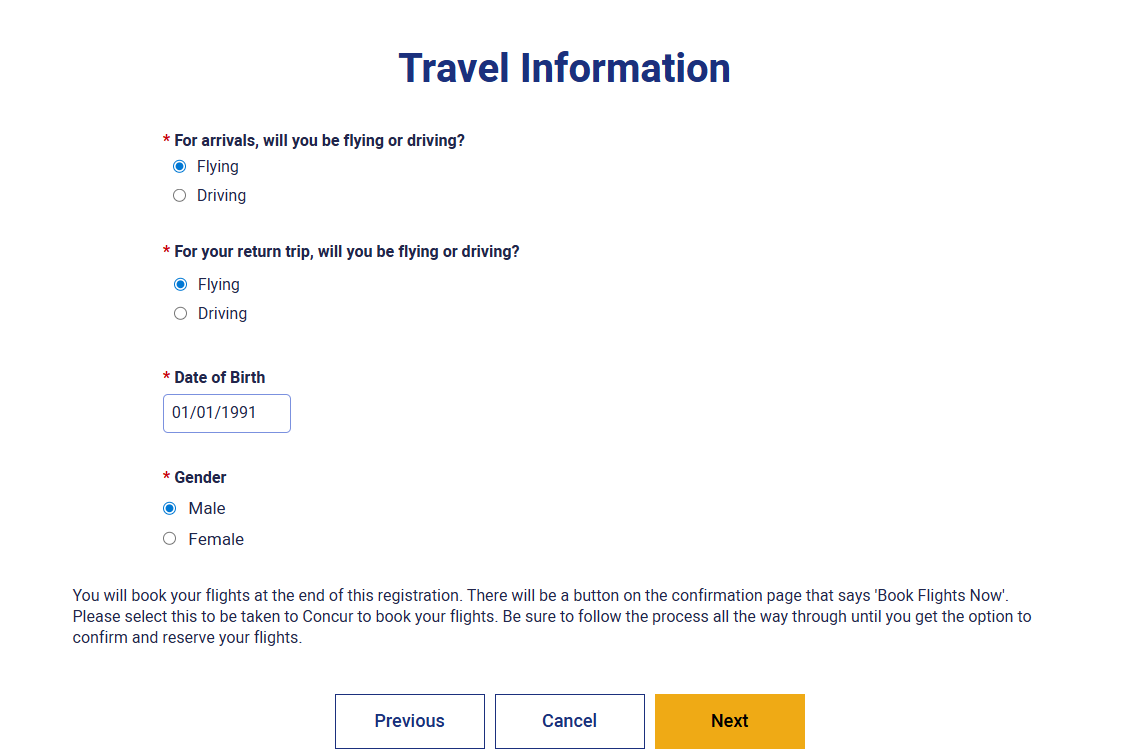
The next page will allow you to select how you would like to travel to the strike. You can choose to book a flight through our travel site (no upfront cost to you) or you can register as a driver.
FLYERS
If you would like to book a flight through our travel site select Flying and provide your DOB and gender (used for the airline ticket).
Note: If you plan to take checked bags you will need to add this to your ticket later. You will receive a $35 luggage stipend per way of travel, which is paid on your final check.
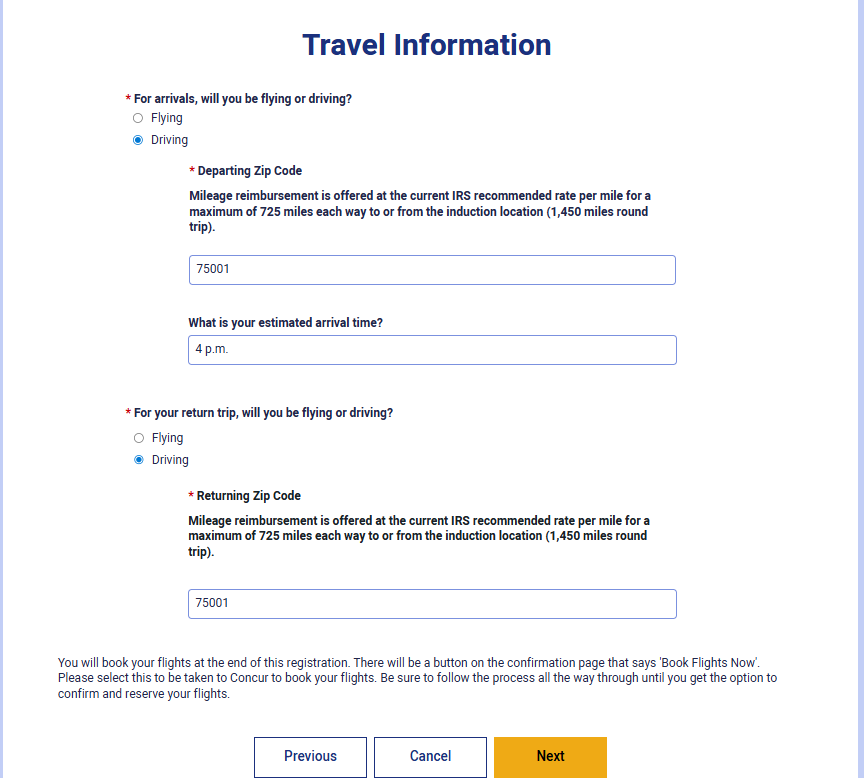
DRIVERS
If you would like to drive to the strike or use any other type of transportation you will fill out the Travel Information page with the zip code you are traveling from and your estimated time of arrival.
Mileage is paid at the IRS rate per mile with a maximum reimbursement of 725 miles one way (1450 miles round trip).
Once you have chosen your method of travel you will receive a Travel Confirmation page that you can print for your records.
Rejecting an Offer
If you are not available for the strike, please decline the offer in the pop-up window. NOTE: You must have pop- up blocker turned off for the window to open.
If you are having problems with the link please respond DECLINE in the text message.
Declining an offer at this point will not have any impact on your eligibility for future strikes. We do ask that you let us know ASAP so we can find another candidate to fill that position.
Booking Your Flight
There are several steps that need to be completed to complete the flight booking process. If you are interrupted during the booking process, you will need to find the email “your Registration Confirmation Number”. This will have the link to log back into the Concur system and your confirmation number.
Note: You will only be able to book a flight for the travel date you selected when you accepted your offer.
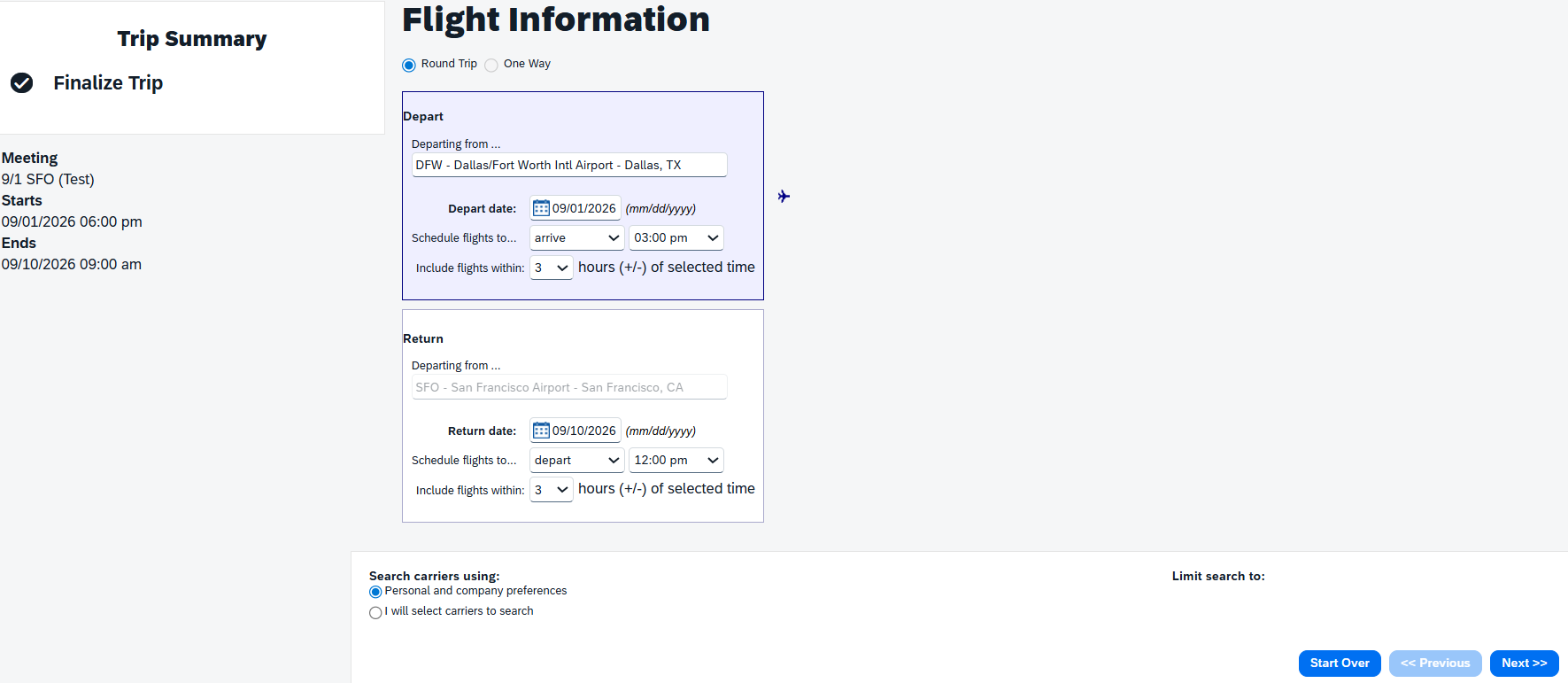
Flight Information
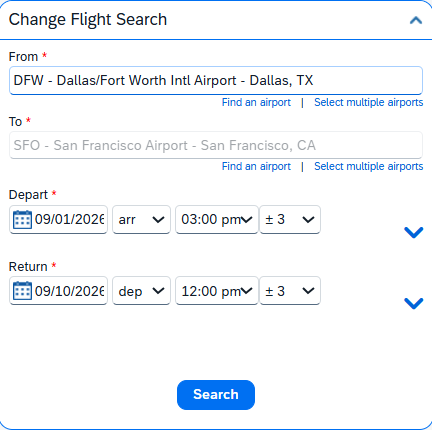
The trip details will preload for you in Concur, you only need to select the airport you will be traveling from. Make sure to select the flight criteria as shown below:
Note: If you need to book a multi-city flight you will need to contact USN. Our system doesn’t allow you to return to a different airport than the one you started in.
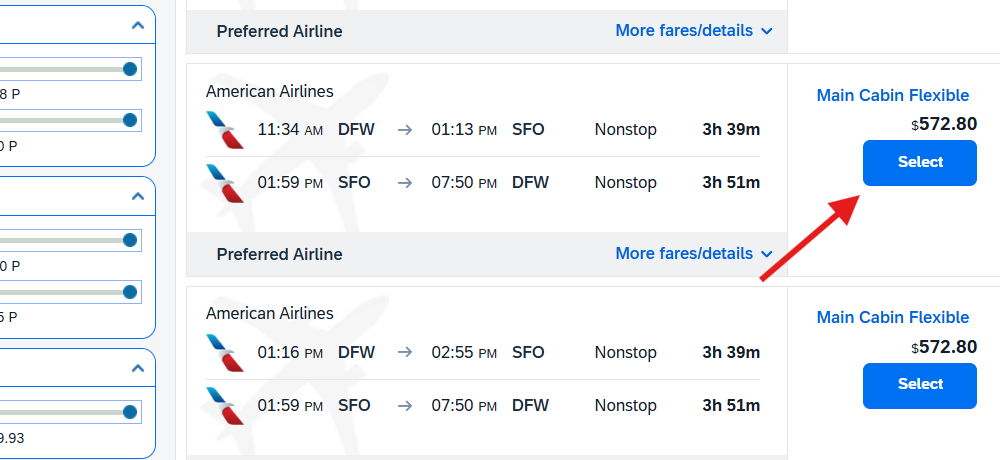
You can then select your flight options from the list. If a flight shows “Not allowed” this mean that it doesn’t meet USN flight guidelines (nonrefundable, outside arrival window, over the flight cost cap). If you are not seeing any available options, you may need to expand the flights included (example “include flights within 6 hours (+/-) of selected time’).
From the list of available flights select the one that best fits your schedule.
Review and Reserve Flight
You will review your selection, enter Frequent Flyer Program details, and select seats in the next step.
Note: Concur will only hold the selected flight for 24 hours.
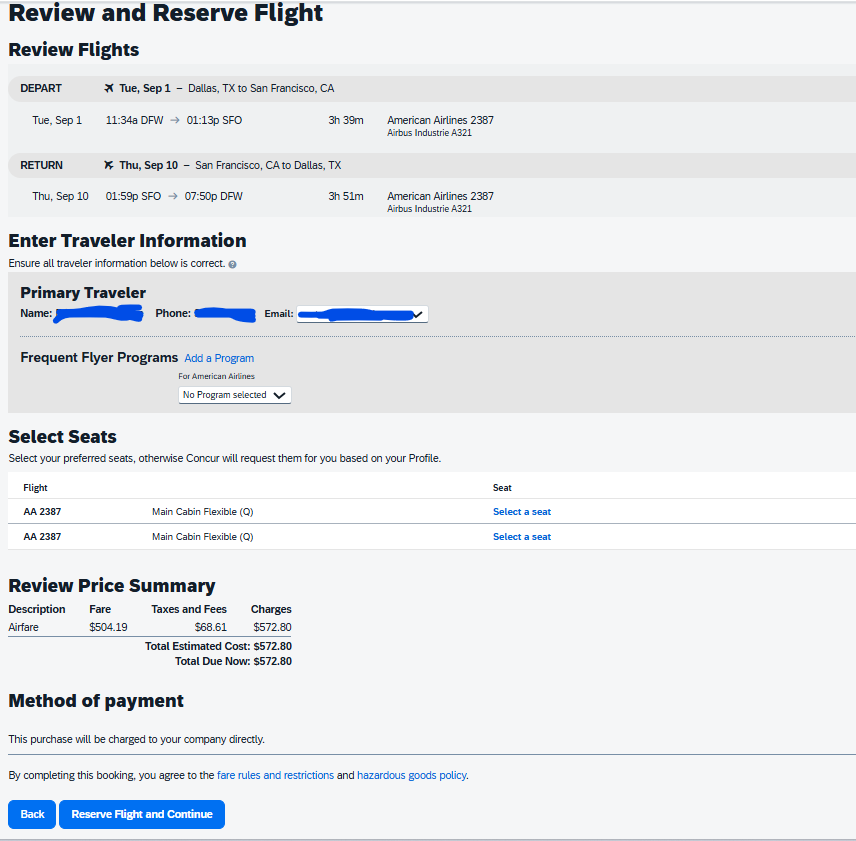
TRAVEL DETAILS - You will verify once more that all information is correct. Click “Next>>” in bottom right corner.

Trip Confirmation
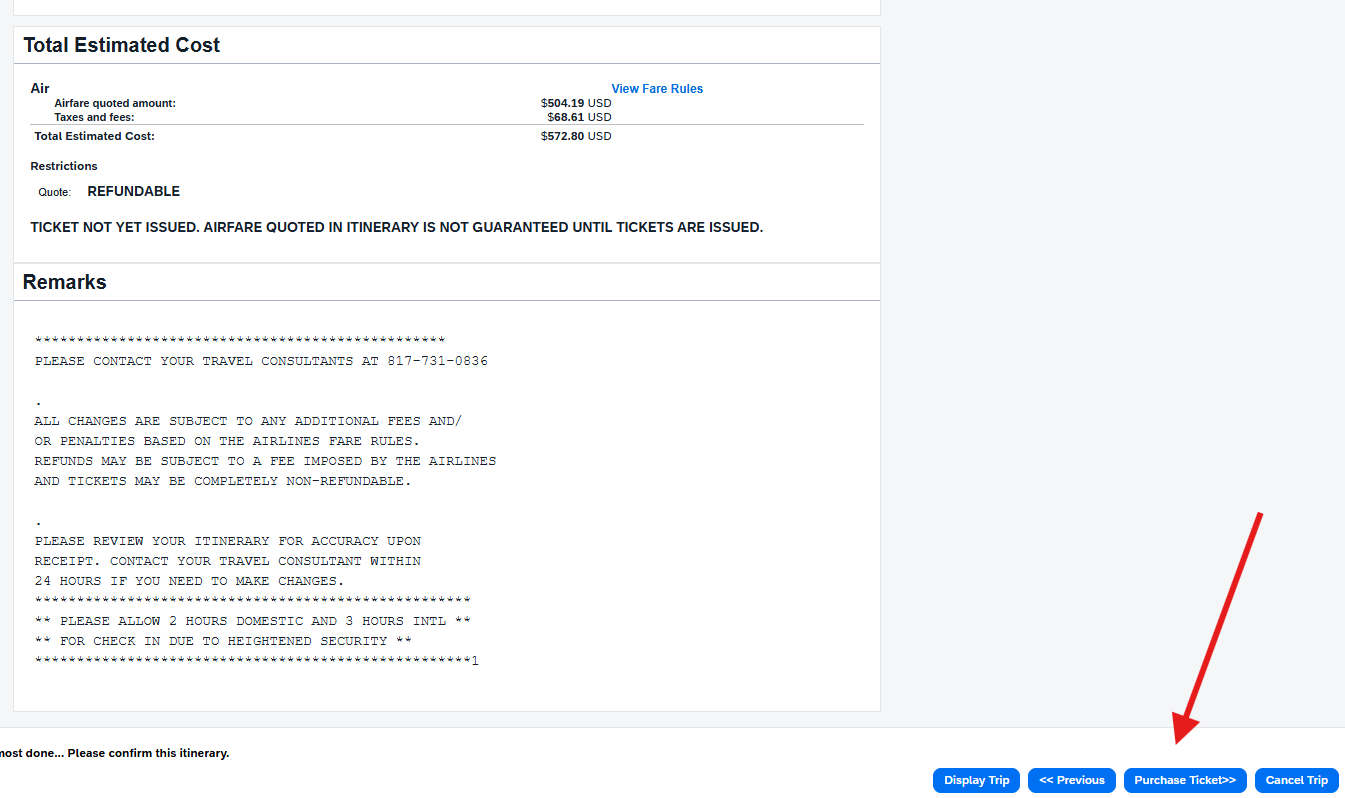
On the next screen you will review all details and then click “Purchase tickets>>.” This is the most important step in the process. If you do not click on “Purchase tickets>>” your flight will only be held for 24 hours and if the process is not completed your reservation will be cancelled.
Trip Summary
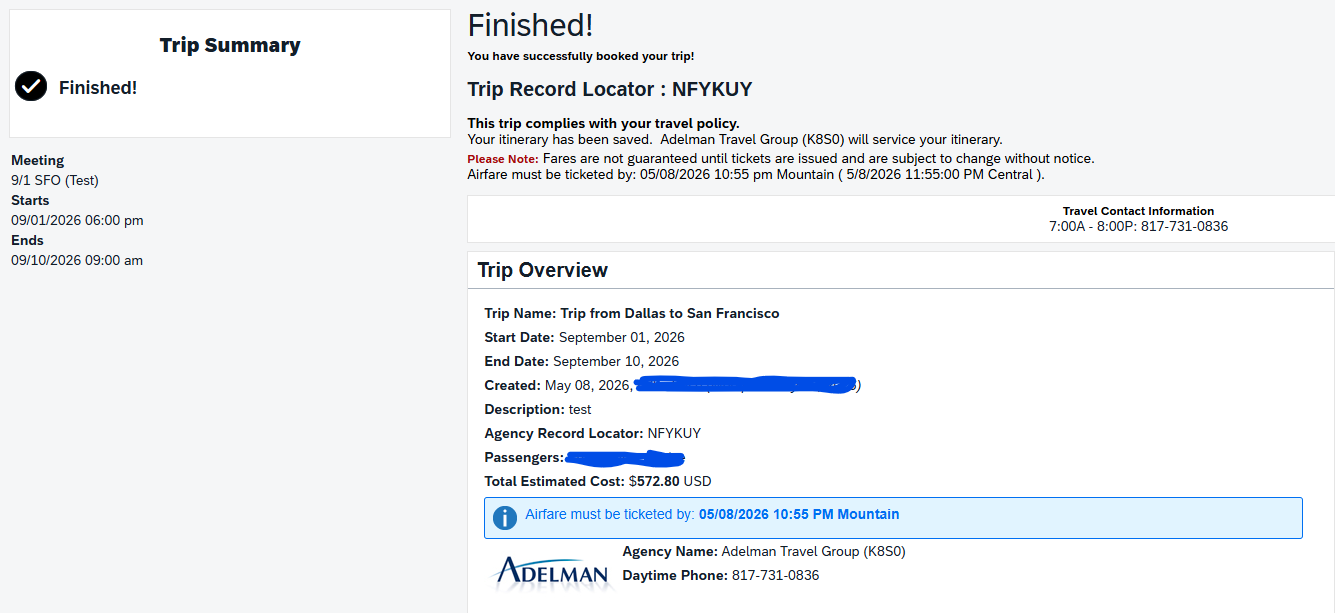
When you have completed the flight booking process you will see the Finished message.
Strike Agreement Letter (SAL)
After you accept your offer and book your flight you will receive your STRIKE AGREEMENT LETTER (SAL). This document will include all the details about your assignment including pay rates, guarantees, code of conduct, dress code information, etc.
Dress Code
During your assignment, all color scrubs are allowed if they are professional with no patterns. If the facility specifies a specific color of scrubs, this will be outlined in your Strike Agreement Letter.
For Orientation, please dress business appropriate (no scrubs, no leggings, no jeans, no athletic wear, no open-toed shoes).
Travel Advisement
The night before you are expected to travel you will receive the Travel Advisement. This document will include your arrival instructions and the address that you will report to for Induction. It will also include the shuttle details from the airport to Induction.
Modules
If modules are required for your assignment, we will provide you with the details. To expedite receiving your modules please make sure that you have listed your Date of Birth and Social Security number in your profile. See Personal Identifiable Information (PII) section for more details.
Guaranteed Hours
The number of Guaranteed hours increases at certain points along the timeline (receipt of Travel Advisement, travel onsite completed, and the start of the strike assignment).
All the details about Guaranteed Hours can be found in your Strike Agreement Letter (SAL).
Onsite Housing Assignment
You will receive your hotel assignment when you arrive onsite for Induction.
Pets are not permitted within USN provided accommodations, including hotel guest rooms, event spaces, and transportation equipment, except for service animals as defined by the Americans with Disabilities Act (ADA).